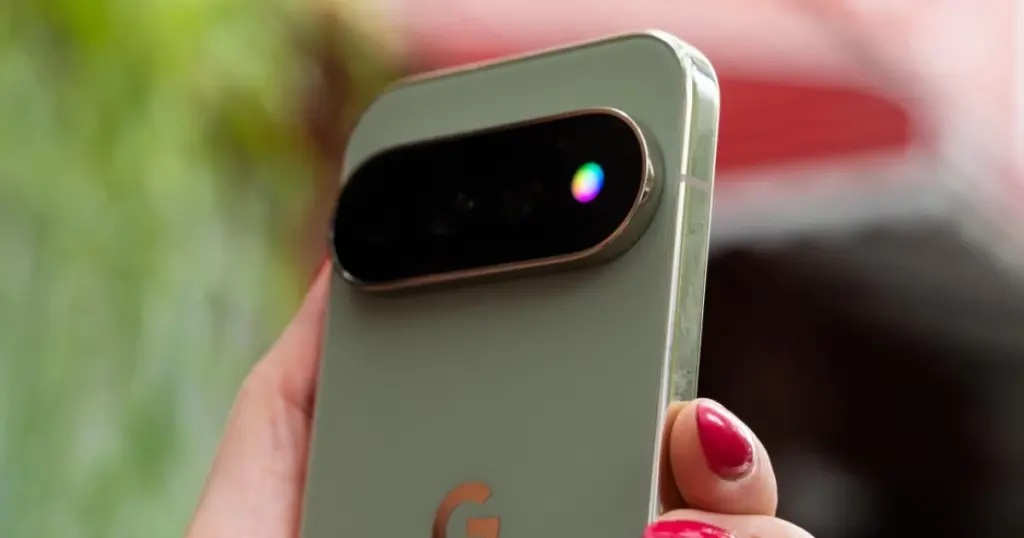
- The HiLight notification LED, a new feature on the Google Pixel 11 Pro, initially offered remarkably limited utility.
- Addressing these limitations, an independent developer has introduced an application that dramatically expands the capabilities of the HiLight indicator.
Enhancing HiLight Functionality on Google Pixel 11 Pro
The HiLight notification LED, a new feature on the Google Pixel 11 Pro, initially offered remarkably limited utility. Out of the box, its operation was restricted to just two scenarios: when the phone was face down during interactions with the Gemini AI assistant, or upon receiving a call from a favorite contact. This narrow scope significantly constrained the practical value of an otherwise promising hardware addition.
HiLight Studio App: A New Era of Customization
Addressing these limitations, an independent developer has introduced an application that dramatically expands the capabilities of the HiLight indicator. This new software solution enables users to customize the LED’s behavior for a much broader array of notifications and interactions. The initiative transforms HiLight from a niche feature into a genuinely useful tool for daily use, offering Pixel 11 Pro owners enhanced flexibility in managing their visual alerts.
This is really exciting news for Pixel 11 Pro users! I was a bit underwhelmed by the HiLight’s initial limitations, so it’s fantastic to see an independent developer stepping in. I’m curious, does the HiLight Studio app allow for granular control over individual app notifications, or is it more of a system-wide override? Also, I wonder if there are any potential battery implications with increased HiLight usage. Would love to hear other users’ thoughts on its practicality after extended use!