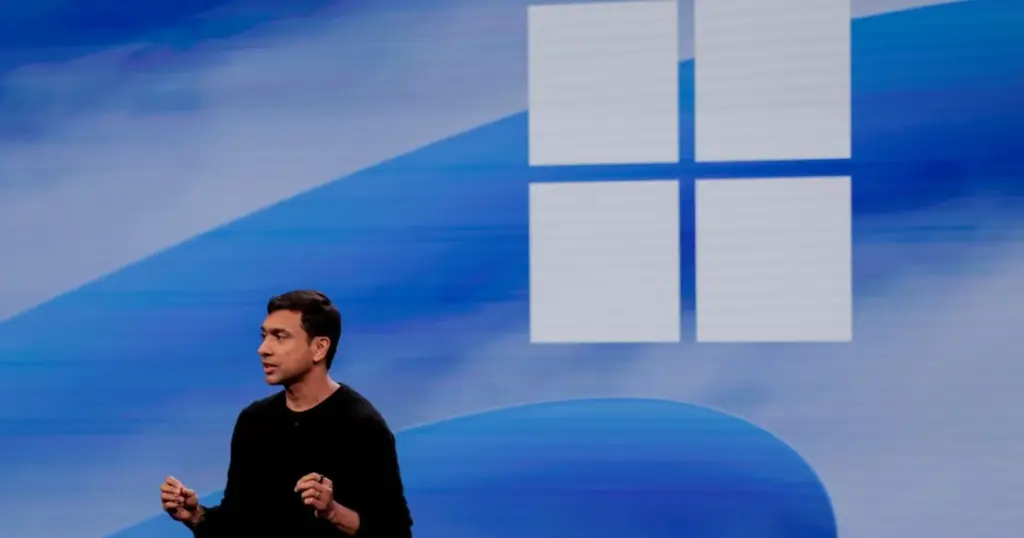
- Microsoft has rolled out updates significantly enhancing Windows 11 performance on PCs equipped with 8GB of RAM.
- The company claims system responsiveness has improved by 20%, with multitasking speeds increasing by up to 40%.
- Optimizations include better memory management, reduced background load, and improved efficiency for key applications.
Microsoft Boosts Windows 11 Performance for 8GB RAM PCs
Microsoft has announced substantial performance improvements for Windows 11 on personal computers featuring 8GB of RAM. These enhancements are the culmination of a year-long effort focused on optimizing memory usage and increasing overall system responsiveness.
Concrete Performance Gains
According to Microsoft’s internal tests, users with 8GB RAM PCs will experience notable upgrades. The company states:
- System responsiveness (covering tasks like opening Start, searching, right-clicking, opening Settings, Snipping Tool, and File Explorer) has improved by 20%.
- Multitasking speed has increased by up to 40%.
These figures are based on Microsoft’s lab tests conducted under favorable conditions.
Three-Pronged Approach to Memory Optimization
Microsoft adopted a comprehensive strategy for memory optimization, focusing on three key areas:
- Making more efficient use of available memory in Windows 11 PCs.
- Protecting interactions that demand instant feedback.
- Ensuring key applications and Windows itself consume less memory.
The company claims Windows 11 can now keep up to 2GB more of active data in memory, rather than offloading it to slower storage. This change is designed to reduce the likelihood of apps and browser tabs reloading when users switch back to them.
Application and Component Enhancements
Optimizations extend to both system components and Microsoft’s proprietary applications:
- Microsoft Edge: Reportedly opens up to 33% faster.
- Microsoft Teams: An Efficiency Mode can be set to on by default, improving launch times by 20%.
- Background Tasks: Non-essential background processes, such as indexing, are now temporarily paused during active PC use to free up resources.
- Microsoft 365 Apps: Committed-memory growth is reduced by up to 900MB in apps like Microsoft Edge and 365 apps, and the memory footprint of Word, PowerPoint, Excel, and Outlook is reduced by 360MB.
- Third-Party Apps: Microsoft notes that WhatsApp is already benefiting from these improved memory management capabilities.
Looking ahead, Microsoft plans to implement smarter and more efficient memory compression. Windows features and apps will share common parts, such as Search and Widgets utilizing a single web engine. WinUI 3 apps like File Explorer and Notepad are being redesigned to use less memory and open faster. Additionally, Microsoft is collaborating with PC makers and silicon manufacturers to reduce the memory reserved for hardware support, thereby allocating more space for Windows.
Performance Comparison
A recent Microsoft-commissioned study found that an 8GB RAM Dell XPS 13 from 2026 performed comparably to a 16GB RAM Dell XPS 13 from 2021 across selected workloads. This highlights that “the complete PC, not memory capacity alone, shapes the experience.”
| Parameter | Before Optimization | After Optimization (8GB RAM) |
|---|---|---|
| System Responsiveness | Baseline | Up to 20% faster |
| Multitasking Speed | Baseline | Up to 40% faster |
| Microsoft Edge Launch Time | Baseline | Up to 33% faster |
| Microsoft Teams Launch Time | Baseline | Up to 20% faster (with Efficiency Mode) |
| Memory Reduction (Edge & 365) | N/A | Up to 900 MB |
| Memory Reduction (Word, PowerPoint, Excel, Outlook) | N/A | Up to 360 MB |
These latest improvements are available in Windows 11 build 26H2, version 26300.9818 or later. Microsoft also encourages users to keep its branded apps updated, as “some improvements arrive through app updates or through Microsoft Store.”
For millions of users with 8GB RAM PCs, these updates translate into a noticeably smoother and more responsive Windows 11 experience for everyday tasks. The system will react faster to user input, and multitasking will perform significantly better, which is particularly relevant amidst rising hardware costs and the ongoing demand for more expensive Copilot+ PCs requiring a minimum of 16GB RAM. This also demonstrates Microsoft’s commitment to making Windows 11 more accessible and performant across a wider range of devices.



I’ve been running Windows 11 on an 8GB laptop for a while now, and I can definitely feel the difference with the recent updates. Opening Edge and switching between apps feels snappier, especially when I have a few browser tabs and Teams open. What still gets me sometimes is File Explorer; it can still be a bit sluggish to load large folders. My tip for others: keep an eye on your startup apps in Task Manager and disable anything non-essential. It makes a noticeable impact on initial boot times.