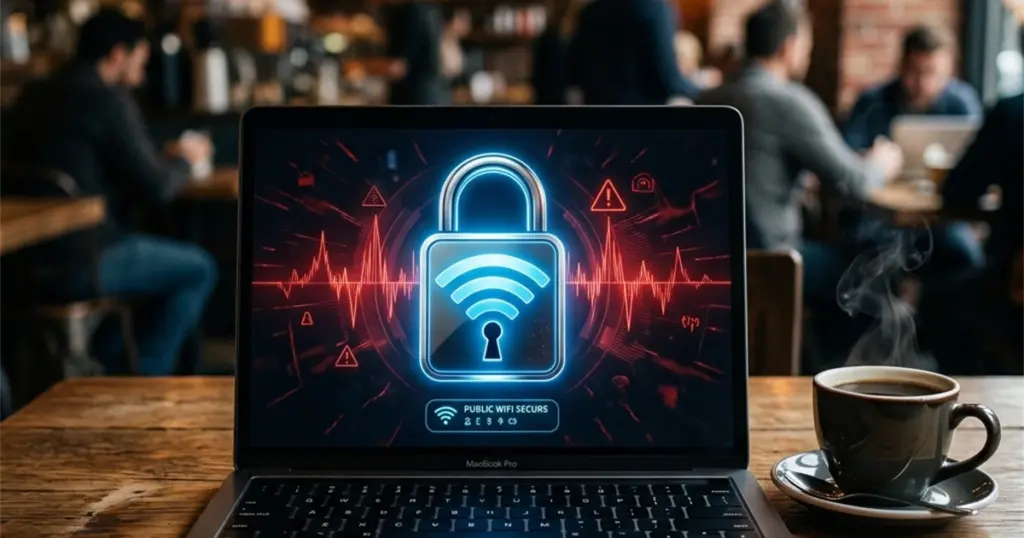
- Free Wi-Fi in a cafe, airport, or hotel is a convenience millions of people use daily, often without considering the potential risks.
- In reality, open public networks do create specific security risks that differ from those of home internet.
- A home network is protected by a password known only to you and trusted individuals.
Free Wi-Fi in a cafe, airport, or hotel is a convenience millions of people use daily, often without considering the potential risks. Connection happens automatically, without much thought - you need internet, the network is available, what could go wrong?
In reality, open public networks do create specific security risks that differ from those of home internet. Let’s break down what’s genuinely dangerous versus exaggerated fears, and how to use public Wi-Fi wisely.
Why Public Wi-Fi is Fundamentally Different from Home Wi-Fi
A home network is protected by a password known only to you and trusted individuals. An outsider cannot connect without knowing this password. Public networks in cafes or airports are set up differently - either without a password at all, or with a password known by all visitors simultaneously, which effectively eliminates the protection a password usually provides.
This creates a key technical problem: devices on the same open network can potentially see each other’s traffic, especially if the network is poorly configured. Additionally, open networks are an attractive target for attackers who can create their own fake access point with a similar name to intercept data from anyone who connects by mistake.
Real Risk 1: Man-in-the-Middle Attack
An attacker on the same open network can technically intercept unencrypted traffic between your device and the internet. This is especially dangerous for data transmitted without encryption.
What’s at risk: Passwords and data entered on websites without a secure HTTPS connection (no padlock icon in the browser’s address bar), content of unencrypted correspondence in outdated messengers, banking app data when using poorly secured old app versions.
Good news: Most modern websites and applications already use end-to-end encryption by default (HTTPS protocol, encryption in modern messengers), which significantly reduces this risk compared to 10-15 years ago. But the risk is not zero, especially on outdated or poorly secured websites.
Real Risk 2: Fake Access Points (Evil Twin)
An attacker can create their own Wi-Fi access point with a name mimicking a legitimate cafe or airport network (“Airport_Free_WiFi” instead of the official “Airport_WiFi”). By mistakenly connecting to such a fake network, all your traffic passes through the attacker’s equipment, allowing them to analyze it in detail.
Protection: Confirm the exact name of the official network with the venue staff, especially if you see several similar network names in the available list. Be particularly cautious with networks that have no password at all - fake networks are often intentionally left open to make it as easy as possible for victims to connect.
Real Risk 3: Malware Spread via Local Network
In poorly configured open networks, it’s sometimes possible for malware to spread between devices on the same network, especially if the device has unpatched operating system vulnerabilities or file-sharing services enabled.
Protection: Keep your operating system and applications updated - security updates often patch these very vulnerabilities. Disable file and printer sharing functions when using public networks.
What’s Safe to Do on Public Wi-Fi Without Major Concerns
Browsing news, reading articles, general web surfing on websites with a secure HTTPS connection (which is the vast majority of sites today) - is a relatively safe activity even on an open network.
Using modern messengers with end-to-end encryption (Telegram in secret chats, WhatsApp, Signal) - message content is protected by encryption regardless of the network characteristics through which they are transmitted.
Watching videos on streaming platforms - the content itself is not confidential information of interest for interception.
What to Do with Caution or Avoid
Logging into banking applications and performing financial transactions - although modern banking applications use robust encryption, this is a category of actions where reasonable extra caution is justified due to the high potential cost of error.
Entering passwords on websites without HTTPS - check for the padlock icon in the address bar before entering any credentials; the absence of a secure connection on an open network significantly increases risk.
Making large purchases with full card details on websites you are not completely sure about.
Transmitting highly sensitive personal information - medical data, legal documents, confidential work information.
Practical Rules for Safe Public Wi-Fi Use
Use a VPN for an additional layer of protection
As discussed in a previous article, a VPN creates an encrypted tunnel between your device and the VPN server, effectively protecting against traffic interception by local attackers on the same open network. For public Wi-Fi use, this is one of the most practical and effective VPN scenarios.
Check HTTPS before entering confidential data
The simple habit of looking for the padlock icon in the address bar before entering a password or card details significantly reduces risk, regardless of the network type used.
Disable automatic connection to open networks
In your device settings, you can disable the automatic connection feature for known open networks - this prevents accidental connection to fake networks with similar names.
Enable firewall and update device before travel
Before using public networks while traveling, it’s advisable to update your operating system in advance and ensure your device’s built-in firewall is active.
Use mobile internet for the most important operations
If an important financial transaction is pending and you are outside a trusted network - it’s sometimes wiser to temporarily switch to your mobile operator’s internet, which is technically structured differently and not subject to most risks specific to open Wi-Fi networks.
Conclusion
Public Wi-Fi is not automatically catastrophically dangerous, as alarmist headlines sometimes suggest - modern encryption technologies have significantly reduced many historical risks. However, conscious caution remains justified, especially for financial transactions and entering confidential data. Using a VPN, checking for a secure connection, and common sense when choosing a network to connect to are simple habits that make using public internet significantly safer without needing to completely forgo its convenience.
| Key Aspect / Direction | Core Mechanism & Essence | Practical Recommendation |
|---|---|---|
| Why Public Wi-Fi is Fundamentally Different from Home Wi-Fi | A home network is protected by a password known only to you and trusted individuals. | An outsider cannot connect without knowing this password. |
| Real Risk 1: Man-in-the-Middle Attack | An attacker on the same open network can technically intercept unencrypted traffic between your device and the internet. | This is especially dangerous for data transmitted without encryption. |
| Real Risk 2: Fake Access Points (Evil Twin) | An attacker can create their own Wi-Fi access point with a name mimicking a legitimate cafe or airport… | By mistakenly connecting to such a fake network, all your traffic passes through the attacker's equipment, allowing them… |
| Real Risk 3: Malware Spread via Local Network | In poorly configured open networks, it's sometimes possible for malware to spread between devices on the same network,… | Verify configuration and apply security best practices. |
Public Wi-Fi is not automatically catastrophically dangerous, as alarmist headlines sometimes suggest - modern encryption technologies have significantly reduced many historical risks. However, conscious caution remains justified, especially for financial transactions and entering confidential data. Using a VPN, checking for a secure connection, and common…
Frequently Asked Questions (FAQ)
Why Public Wi-Fi is Fundamentally Different from Home Wi-Fi?
A home network is protected by a password known only to you and trusted individuals. An outsider cannot connect without knowing this password. Public networks in cafes or airports are set up differently - either without a password at all, or with…
What should you know about real Risk 1: Man-in-the-Middle Attack?
An attacker on the same open network can technically intercept unencrypted traffic between your device and the internet. This is especially dangerous for data transmitted without encryption.
What should you know about real Risk 2: Fake Access Points (Evil Twin)?
An attacker can create their own Wi-Fi access point with a name mimicking a legitimate cafe or airport network ("Airport_Free_WiFi" instead of the official "Airport_WiFi"). By mistakenly connecting to such a fake network, all your traffic passes through the attacker's equipment, allowing…



The article rightly emphasizes the fundamental distinction between public and private network security postures. From an enterprise security perspective, the prevalence of ‘Evil Twin’ attacks leveraging identical SSIDs and MAC address spoofing remains a significant threat vector for remote workers. Organizations often mandate VPN usage precisely to tunnel traffic securely, bypassing the inherent vulnerabilities of open Layer 2 environments and mitigating risks associated with unencrypted HTTP/FTP protocols, which are still surprisingly common in legacy systems or poorly maintained web services.