- You type a website address into your browser, and a fraction of a second later, the page appears.
- Let’s break down how it works - clearly, without an overload of technical terms, but deeply enough for the full picture to emerge.
- A common misconception is that the internet exists “in the cloud” or “in the air.” In reality, the internet is primarily a...
You type a website address into your browser, and a fraction of a second later, the page appears. In that instant, dozens of complex technical operations occur, involving physical cables at the bottom of the ocean, servers on different continents, and several layers of software protocols. And all of this happens every single time you open any website.
Let’s break down how it works - clearly, without an overload of technical terms, but deeply enough for the full picture to emerge.
What the Internet Is, Physically
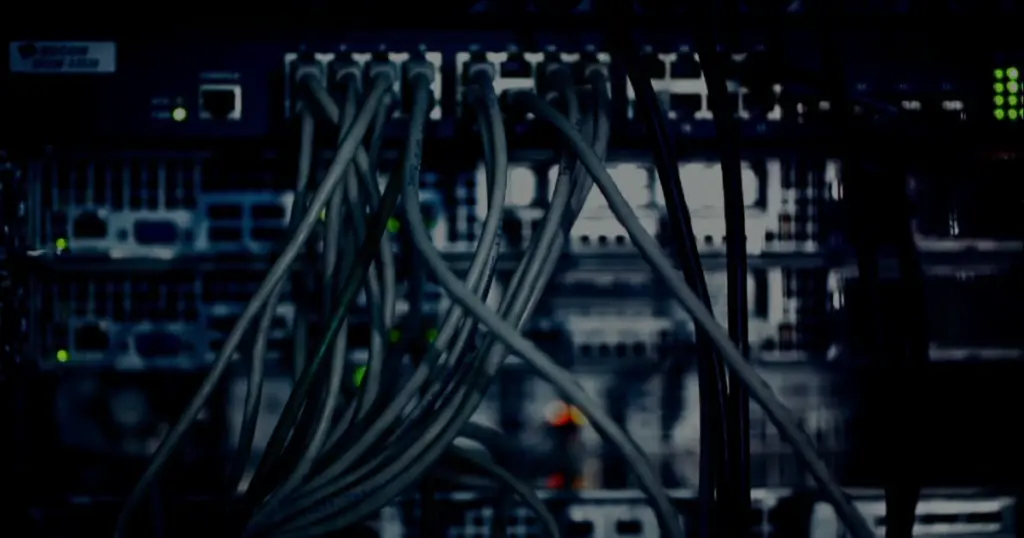
A common misconception is that the internet exists “in the cloud” or “in the air.” In reality, the internet is primarily a physical infrastructure: millions of kilometers of cables laid across ocean floors and underground across all continents, thousands of data centers with server racks, and millions of routers connecting it all into a single network.
Submarine cables - literally fiber-optic strands the thickness of a garden hose - carry almost all of the world’s internet traffic between continents. When data is transmitted from Moscow to a server in California, it physically travels through such a cable across the bottom of the Atlantic or Pacific Ocean.
Wireless internet (Wi-Fi, mobile networks) only exists for the “last mile” - from the cell tower or access point to your device. The towers themselves are connected to the same cable infrastructure.
IP Address - The Postal Code for Your Device
Every device connected to the internet has a unique numerical identifier - an IP address (from Internet Protocol). It’s like a postal address: to send data to the correct device, you need to know its address.
The modern version of an IP address looks something like “192.168.1.1” (IPv4) or a long alphanumeric string (IPv6 - a newer format introduced due to the exhaustion of old format addresses). When you connect to the internet through a provider, it assigns an IP address to your router - this is how servers know where to send the response to your requests.
DNS - The Internet’s Phone Book
People remember website names - google.com, yandex.ru, wikipedia.org. But computers work with numerical IP addresses. The job of DNS (Domain Name System) is to translate human-readable addresses into numerical ones.
When you enter a website address into your browser, the first thing that happens is a DNS query: your computer contacts a DNS server (usually provided by your ISP or Google/Cloudflare) asking, “what IP address corresponds to this name?” The DNS server returns the numerical address, and only then does the browser know where exactly to send the page request.
All of this takes milliseconds - but this is precisely why switching to a faster DNS server can sometimes noticeably speed up the perceived loading time of websites.
Data Packets - Like Letters Cut into Pieces
When you request a web page, data isn’t transmitted as one monolithic block. It’s sliced into small “packets” - small portions of information with the recipient’s address, packet number, and a checksum for integrity verification.
Each packet can travel a different route through the network - one through one set of servers, another through a different set - and they are reassembled in the correct order at the recipient’s end. This makes data transmission robust: if one route is congested or unavailable, packets automatically take another path.
The TCP/IP protocol is responsible for ensuring that all packets arrive, are reassembled in the correct order, and are re-requested if any are lost along the way.
Routers - The Traffic Cops of the Internet
Routers are devices that read the address on each data packet and decide where to send it next. The internet consists of millions of such “intersections,” and each data packet passes through dozens of routers on its way from sender to receiver.
Each router knows its “neighbors” and constantly exchanges information about available routes with them. When congestion or an outage occurs somewhere, routers automatically reconfigure routes - which is why the internet is generally resilient to local failures.
HTTP and HTTPS - The Language of Browser and Server
When the browser knows the IP address of the desired server, it establishes a connection and requests the page using the HTTP (HyperText Transfer Protocol) protocol. This is the standard “language” that browsers and web servers use to communicate with each other.
HTTPS is the secure version of the same protocol. Before transmitting data, the browser and server exchange cryptographic keys and establish an encrypted channel. The presence of HTTPS (and the padlock icon in the address bar) means that data between you and the website is protected from interception by third parties.
What Happens When You Open a Website: The Full Chain
So, the complete path from entering an address to displaying a page:
- You enter the address into the browser
- The browser contacts the DNS server and learns the website’s IP address
- The browser establishes a TCP connection with the server using that IP address
- If the site uses HTTPS - an encrypted connection is established
- The browser sends an HTTP request: “send me this page”
- The server receives the request, generates a response (HTML code of the page, images, scripts)
- The response is sliced into packets and sent over the network
- The packets travel through many routers and are reassembled at your end
- The browser receives the HTML code and renders (displays) the page on the screen
- For additional resources (images, fonts, scripts), the browser makes separate requests
All of this takes from milliseconds to several seconds, depending on connection speed, distance to the server, and network load.
Why Websites Sometimes Load Slowly
Understanding this chain explains the reasons for slow loading. The server might be physically far away (high latency due to distance). The server might be overloaded with requests. A DNS query might take longer than usual. The page might contain many heavy resources - large images, complex scripts. Your internet connection might have high latency or low bandwidth.
To solve the problem of slow website loading, CDNs (Content Delivery Networks) exist - networks of servers distributed worldwide. CDNs store copies of popular content closer to users, reducing the physical distance data must travel.
Conclusion
The internet is not magic or a vague “cloud,” but a very concrete physical and software infrastructure. Ocean floor cables, IP addresses, DNS servers, routers, TCP/IP, and HTTPS protocols - all these components work in concert so that data can travel between any points on the planet in fractions of a second. Understanding the basic principles of this system helps us better grasp the causes of technical problems and use the technologies we rely on daily more consciously.
| Key Aspect / Direction | Core Mechanism & Essence | Practical Recommendation |
|---|---|---|
| What the Internet Is, Physically | A common misconception is that the internet exists "in the cloud" or "in the air." In reality, the… | Verify configuration and apply security best practices. |
| IP Address - The Postal Code for Your Device | Every device connected to the internet has a unique numerical identifier - an IP address (from Internet Protocol). | It's like a postal address: to send data to the correct device, you need to know its address. |
| DNS - The Internet's Phone Book | People remember website names - google.com, yandex.ru, wikipedia.org. | But computers work with numerical IP addresses. |
| Data Packets - Like Letters Cut into Pieces | When you request a web page, data isn't transmitted as one monolithic block. | It's sliced into small "packets" - small portions of information with the recipient's address, packet number, and a… |
The internet is not magic or a vague "cloud," but a very concrete physical and software infrastructure. Ocean floor cables, IP addresses, DNS servers, routers, TCP/IP, and HTTPS protocols - all these components work in concert so that data can travel between any points on…
Frequently Asked Questions (FAQ)
What the Internet Is, Physically?
A common misconception is that the internet exists "in the cloud" or "in the air." In reality, the internet is primarily a physical infrastructure: millions of kilometers of cables laid across ocean floors and underground across all continents, thousands of data centers…
What should you know about iP Address - The Postal Code for Your Device?
Every device connected to the internet has a unique numerical identifier - an IP address (from Internet Protocol). It's like a postal address: to send data to the correct device, you need to know its address.
What should you know about dNS - The Internet's Phone Book?
People remember website names - google.com, yandex.ru, wikipedia.org. But computers work with numerical IP addresses. The job of DNS (Domain Name System) is to translate human-readable addresses into numerical ones.



The article provides a solid overview of core internet infrastructure. It’s crucial to emphasize the increasing prevalence of IPv6, not just due to address exhaustion but also for its implications on network efficiency and security, particularly in IoT deployments. Furthermore, the role of CDNs in minimizing latency by caching content closer to end-users significantly augments the physical cable infrastructure, often making the ‘last mile’ less about physical distance and more about optimized delivery protocols.