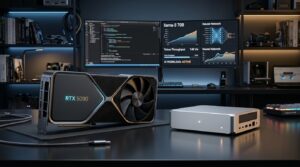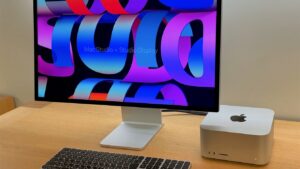
Local coding assistants have crossed the threshold from weekend experiments to practical daily engineering tools. With a 16-32 GB GPU or a unified-memory workstation like Apple Silicon M5 or NVIDIA DGX Spark, you get 50-120 ms tab autocomplete, completely private refactoring of proprietary repositories without leaking code to third-party endpoints, and zero $20-$200 monthly token bills. Here is our production-tested setup using Ollama + VS Code (Continue + Cline / Roo Code), complete with 32k-64k VRAM math, critical environment flags, and drop-in configuration templates.
- Use a two-model split instead of one giant checkpoint: pair fast
qwen2.5-coder:7bexclusively for instant Fill-In-The-Middle (FIM) tab autocomplete, and reserveqwen2.5-coder:14b/32bordeepseek-r1:32bfor refactoring chat and autonomous multi-file agents. - Watch out for Ollama’s silent default context truncation: without explicitly raising
num_ctxto 32768-65536, agent extensions like Cline and Roo Code silently lose tool definitions and hallucinate non-existent functions. - Two non-negotiable Ollama memory flags: enable
OLLAMA_FLASH_ATTENTION=1andOLLAMA_KV_CACHE_TYPE=q8_0to cut long-context KV-cache VRAM consumption nearly in half without hurting code precision. - Size your hardware first: verify exact weights + KV-cache totals and expected token speeds on your GPU or Mac in our 2026 Local LLM VRAM Calculator.
1. Why Developers Are Moving Core Workflows Local in 2026
Frontier cloud APIs (Claude, Gemini, GPT) still hold the upper hand when scaffolding unfamiliar greenfield architectures from scratch across massive repositories. However, roughly 80% of daily development consists of inline completions, unit tests, refactoring legacy functions, writing SQL/regex queries, and querying internal codebases. Running locally inside VS Code delivers three immediate advantages:
- Zero data exfiltration & NDA compliance: proprietary source code, internal database schemas, and staging configs never leave
127.0.0.1:11434. - Predictable TCO (no agent token shock): autonomous coding loops in Cline routinely burn $3-$8 over two hours of iterative test fixes on metered APIs. A local model runs 100 test-fix retries for the cost of wall electricity.
- Offline resilience & zero rate limits: identical latency on flights, trains, or during external API outages.
2. Choosing Local Coding Models & Calculating 32k-64k VRAM Budgets
The #1 mistake developers make when sizing hardware is checking only the model weight file size (e.g., ~9 GB for 14B Q4_K_M) while forgetting the KV cache required by long IDE context. Feeding four open source files (~32,000 tokens) into chat adds another 3-12 GB of memory demand depending on GQA grouping and KV precision (FP16 vs Q8_0).
| Model (Ollama Tag) | Role in VS Code | Weights (Q4_K_M) + KV Cache (32k-64k @ q8_0) | Recommended Hardware | Realistic Throughput (tok/s) |
|---|---|---|---|---|
Qwen 2.5 Coder 7Bqwen2.5-coder:7b |
Low-latency FIM tab autocomplete & quick edits | ~4.7 GB weights + ~2.0 GB KV (32k) = ~7-8 GB VRAM | RTX 4060 8 GB / Arc B580 12 GB / 16 GB+ Mac | 75-130 tok/s on discrete GPU; 40-65 tok/s on base Apple Silicon |
Qwen 2.5 Coder 14Bqwen2.5-coder:14b |
Daily workhorse: chat, unit tests, multi-function edits | ~9.0 GB weights + ~3.5 GB KV (32k) = ~12.5-14 GB VRAM | 16 GB GPU (RTX 5060 Ti 16 / RX 9060 XT 16) or 24 GB+ Mac | 45-80 tok/s (16 GB GDDR7 GPU) |
Qwen 2.5 Coder 32Bqwen2.5-coder:32b |
Senior-grade refactoring & reliable Cline/Roo agent execution | ~19.8 GB weights + ~5.5 GB KV (32k-64k) = ~26-28 GB VRAM | RTX 5090 32 GB / RTX 4090 / Mac Studio 36-64 GB+ / Strix Halo | 35-60 tok/s (RTX 5090 / M5 Max); 18-28 tok/s (M4 Pro / Strix Halo) |
DeepSeek-R1-Distill-Qwen-32Bdeepseek-r1:32b |
System planning, subtle concurrency bugs (Reasoning) | ~19.8 GB weights + ~6.0 GB KV (long <think> chains) = ~27-30 GB |
RTX 5090 32 GB / Mac Studio 48-64 GB+ / DGX Spark GB10 | 30-55 tok/s (factor 400-1,200 hidden thought tokens before answer) |
Llama 3.3 70Bllama3.3:70b |
Deep architecture review & complex documentation | ~42.5 GB weights + ~9 GB KV (32k-64k) = ~52-56 GB memory | Mac Studio M5 Max/Ultra (96-192 GB), DGX Spark GB10 128 GB, dual GPU | 14-22 tok/s on M5 Max; 25-40 tok/s on M5 Ultra |
Notice how quickly 32B and 70B workflows outgrow standard 12-16 GB desktop graphics cards-which explains the massive 2026 shift toward unified memory workstations. For hardware economics across RTX 5090, Mac Studio M5, AMD Strix Halo, and NVIDIA DGX Spark GB10, check our 2026 local AI hardware architecture comparison and our Mac Studio local AI hands-on review. Planning a desktop GPU tower instead? Verify PSU safety margins with our 2026 ATX 3.1 PSU Calculator.
3. Essential Ollama Server Flags Before Connecting VS Code
Before installing editor extensions, turn on Flash Attention and 8-bit KV-cache quantization. Without these flags, opening a 32k-64k context window forces KV arrays to spill over PCIe into system RAM, dropping generation speeds by 5× to 8×.
macOS / Linux (add to systemd unit override or shell profile):
export OLLAMA_FLASH_ATTENTION=1
export OLLAMA_KV_CACHE_TYPE=q8_0
export OLLAMA_MAX_LOADED_MODELS=2
export OLLAMA_KEEP_ALIVE=30m
export OLLAMA_NUM_PARALLEL=2
Windows (run in PowerShell, then quit and relaunch Ollama from the tray):
[Environment]::SetEnvironmentVariable("OLLAMA_FLASH_ATTENTION", "1", "User")
[Environment]::SetEnvironmentVariable("OLLAMA_KV_CACHE_TYPE", "q8_0", "User")
[Environment]::SetEnvironmentVariable("OLLAMA_MAX_LOADED_MODELS", "2", "User")
[Environment]::SetEnvironmentVariable("OLLAMA_KEEP_ALIVE", "30m", "User")
OLLAMA_FLASH_ATTENTION=1enables memory-efficient attention kernels required for quantized KV caches.OLLAMA_KV_CACHE_TYPE=q8_0shrinks KV memory footprint by ~45-50% at 32k-64k context with negligible syntax degradation (avoid aggressiveq4_0for strict coding diffs, as symbol accuracy starts dropping).OLLAMA_MAX_LOADED_MODELS=2keeps both your 7B autocomplete checkpoint and 14B/32B chat model resident in memory simultaneously if capacity allows, preventing constant SSD model swapping.OLLAMA_KEEP_ALIVE=30mstops Ollama from evicting weights after 5 minutes while you read docs or run test suites.
Build a Dedicated 32k Context Modelfile Tag
# Save as Modelfile-qwen14b-32k
FROM qwen2.5-coder:14b
PARAMETER num_ctx 32768
PARAMETER temperature 0.2
PARAMETER top_p 0.9
ollama pull qwen2.5-coder:7b
ollama pull qwen2.5-coder:14b
ollama create qwen-coder-14b-32k -f Modelfile-qwen14b-32k
4. Stack #1: Continue Extension (Fast FIM Autocomplete + Inline Edits)
Continue remains the strongest open-source VS Code and JetBrains extension for ghost-text Tab autocomplete and quick inline edits (Ctrl+I / Cmd+I). Keep the Tab model strictly on a fast 7B checkpoint capped at 4,096 context tokens so suggestions appear while typing without stalling.
Drop-in ~/.continue/config.json configuration (also trivially portable to config.yaml):
{
  "models": [
    {
      "title": "Qwen 2.5 Coder 14B (32k Local)",
      "provider": "ollama",
      "model": "qwen-coder-14b-32k",
      "contextLength": 32768,
      "completionOptions": {
        "temperature": 0.2,
        "numCtx": 32768
      }
    },
    {
      "title": "DeepSeek-R1 32B (Architect)",
      "provider": "ollama",
      "model": "deepseek-r1:32b",
      "contextLength": 32768,
      "completionOptions": {
        "temperature": 0.4,
        "numCtx": 32768
      }
    }
  ],
  "tabAutocompleteModel": {
    "title": "Qwen 2.5 Coder 7B FIM",
    "provider": "ollama",
    "model": "qwen2.5-coder:7b",
    "completionOptions": {
      "temperature": 0.1,
      "maxTokens": 256,
      "numCtx": 4096
    }
  },
  "tabAutocompleteOptions": {
    "debounceDelay": 250,
    "maxPromptTokens": 2048,
    "multilineCompletions": "auto"
  },
  "allowAnonymousTelemetry": false
}
"allowAnonymousTelemetry": false disables anonymous editor usage metrics too, ensuring the entire Continue + Ollama stack stays strictly on localhost.
5. Stack #2: Autonomous Multi-File Agents with Cline & Roo Code
While Continue shines during active keystroke coding, Cline (and its power-user fork Roo Code) operates like an autonomous junior developer-grepping repositories, applying multi-file SEARCH/REPLACE patches, running pytest or npm test, and self-correcting compiler errors.
- In extension settings, pick API Provider: Ollama and leave Base URL at
http://localhost:11434. - Select your 32k Modelfile tag (
qwen-coder-14b-32kor a 32B tag on 32 GB+ hardware). - Set the explicit Context Window Size slider to
32768. - Enable Auto-approve Read-only operations for fast codebase exploration, but keep manual approval enabled for file writes and shell commands-14B local models can occasionally over-eagerly prune helper functions or edit lockfiles.
- Split Architect vs. Coder modes in Roo Code: assign DeepSeek-R1 32B to Architect / Plan so it catches edge cases upfront, and assign Qwen 2.5 Coder 32B / 14B to Code where strict diff formatting shines.
6. Troubleshooting Slow Inference & Broken Tool Calls
- Output drops to 3-5 tok/s: weights or KV cache overflowed GPU VRAM into system RAM. Run
ollama psduring generation and check thePROCESSORcolumn-you want100% GPU, not a split65%/35% GPU/CPUentry. Fix by droppingnum_ctxfrom 64k to 32k or stepping down from 32B to 14B. - Cline stops applying diffs reliably: verify temperature is
0.1-0.2andnum_ctxis at least24576. Avoid putting pure reasoning models likedeepseek-r1directly in file-patching roles; keep them in planning mode and hand diff execution toqwen2.5-coder. - 5-10 second pause before autocomplete appears: Ollama is thrashing between your 14B chat checkpoint and 7B FIM model due to low VRAM. Either keep
OLLAMA_MAX_LOADED_MODELS=2on larger GPUs or pause chat calls while cranking out boilerplate with Tab completions.
qwen2.5-coder:7b for instant autocomplete and a 32k-context qwen2.5-coder:14b build paired with OLLAMA_FLASH_ATTENTION=1 and OLLAMA_KV_CACHE_TYPE=q8_0. Working across large monorepos that push 32B-70B models? Benchmark exact memory footprints in our Local LLM VRAM Calculator before buying your next workstation.
Frequently Asked Questions (FAQ)
Is an 8 GB GPU enough for local AI coding in VS Code?
For fast Tab autocomplete and lightweight chat snippets, qwen2.5-coder:7b with q8_0 KV caching and a 16k-24k context fits comfortably inside 8 GB VRAM. However, reliable multi-file agent loops (Cline / Roo Code) using 14B-32B checkpoints really need 16 GB+ discrete VRAM or 24-32 GB+ unified memory.
Does OLLAMA_KV_CACHE_TYPE=q8_0 hurt code generation accuracy?
Switching the KV cache from FP16 to 8-bit (q8_0) saves nearly half the long-context memory overhead with almost no measurable drop in syntax or diff accuracy. Only q4_0 KV quantization begins introducing subtle attention misses across 32k+ contexts, making q8_0 the practical default for developers.
How does Continue + Qwen 2.5 Coder compare to GitHub Copilot or Cursor?
Under strict privacy rules, NDAs, or subscription budgets, local Continue + qwen2.5-coder:7b/14b delivers instant completions and strong unit-test drafting with zero external calls. Cloud frontier tools still win when synthesizing massive cross-service architectural rewrites beyond what 32B local weights can reason through reliably.
Why shouldn’t I use DeepSeek-R1 directly for file-patching agents?
DeepSeek-R1 excels at step-by-step logical planning inside <think> blocks, which eats latency and occasionally breaks strict XML/SEARCH-REPLACE formatting expected by automated editors. Use DeepSeek-R1 to design the implementation plan, then switch to qwen2.5-coder to write and patch the files cleanly.
How can I verify that my model isn’t silently offloading to CPU?
Run ollama ps in a terminal while generating a reply. The PROCESSOR column should read 100% GPU. Any split percentage such as 70%/30% GPU/CPU explains slow token speeds and signals you should reduce num_ctx or move down one model tier.